
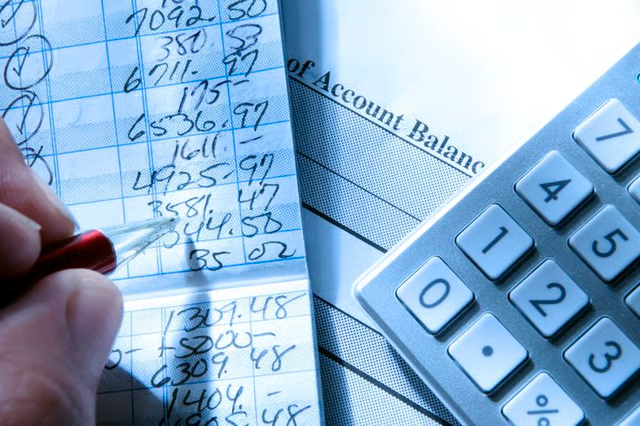
More than 81 percent of Americans use a bank savings or checking account to handle most financial transactions, according to a 2021 FDIC survey. Checking accounts see a lot of action, as deposits come in and money goes out to pay bills, cover expenses, invest or transfer money between savings accounts, personal checking or small business accounts. The best way to keep up with all these bank transactions is to use a check register.
Checkbook Register Definition
A checkbook register is a ledger used to record transactions that pass through your bank account and keep a running balance. Keeping close tabs on your checking account transactions can help you with your budget and save you from overdraft fees.
If you have a paper checkbook with your account, it will often come with a checkbook transaction register you can use to record the check number, the date, the amount of the check and the name of the party, the payee, receiving the check. It's also helpful to make a note in the memo section detailing the purpose of the check.
If your checking account comes with duplicate checks, each personal check you write becomes its own receipt. Just remember to record those in the ledger, too.
Now that debit cards, ATM withdrawals and online transactions have become more common, it's convenient to do your recordkeeping by using a spreadsheet on your computer or an online app.
Recording Small Business Expenses
Even if many bank apps track your business checks and bank transactions in real-time, for recordkeeping purposes, you may wish to record and categorize business expenses and disbursements in the check register or general ledger for your business bank account. Orderly, itemized business records can make life much easier at tax time, advises the IRS.
Recording Digital Transactions
To make sure your register is fully up to date, you'll also want to record any electronic bank transactions. This can include automatic deductions to pay bills, direct deposits of your paycheck or other payments and purchases you make with your debit card. ATM withdrawals and deposits can also be recorded in your checkbook register.
Since you may not have time to stop and record every debit card transaction you make at checkout, save your receipts and use them to update your checkbook register later in the day.
Keeping an Electronic Record
If you want to skip the office supply store and prefer the convenience of a digital record, you can keep your check register digitally rather than on paper. This may make the ledger easier to share with others, like your accountant, for further analysis and reports, such as tax returns. Having these records is helpful for budgeting and controlling your expenses
You can download a register template for spreadsheet programs like Microsoft Excel to develop a check register or create one yourself using a tool of your choice. As with a paper register, log the date, party and amount of each transaction, along with any notes you need to remember about the nature of the payment or deposit.
As with other essential electronic records, ensure your digital transaction log is properly backed up and stored securely to prevent unwanted access to your financial data.
Balancing Your Checkbook Using a Check Register
Balancing your checkbook is a process used to verify that your checkbook account balance matches the bank records:
- Add up your deposits: When you receive your monthly statement, take your ending balance from your previous month's statement and add in all the deposits from your checkbook register.
- Subtract all debits: Subtract any debits from your account recorded in the register, including checks written, ATM and teller withdrawals, fee payments and debit card transactions to get your current balance.
- Compare your total to the bank statement: The final result of your math should match the bank account total on your account statement.
- Resolve any discrepancies: If your total doesn't match the bank statement, look for outstanding payments or deposits that haven't been processed yet or erroneous bank transactions on your account.
Balancing your checkbook is critical to ensure an accurate running balance in your check register. This process helps make sure you don't write checks or make any other payments that will overdraw your account and cause you to incur stiff overdraft fees.
