


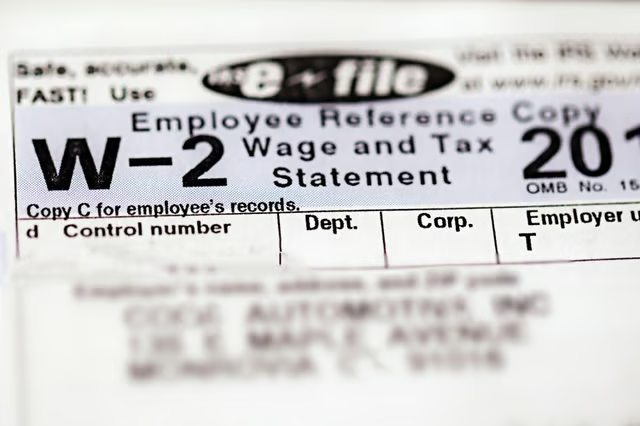
The W-2 form is a federal wage and tax statement that your employer uses to report all income paid to you during the tax calendar year. The employer must also report on your W-2 all federal, FICA (Federal Insurance Contributions deductions reported to Social Security), and state withholding taxes that were withheld from your earnings during the year.
By law, every employer must provide employees with a W-2 no later than Jan. 31st, so that employees can file their income tax returns by April 15th. To obtain a copy of your W-2 earlier, you will need to send a written request to your employer.
Gather Your Information
Make a list of all the employers you worked for during the year and their contact information. If you were paid more than $600.00 by an employer, the employer is required to provide you with a W-2 no later than Jan. 31st.
Read More: How to Find W2 Information
Reach Out to Your Employer
Contact each employer through the human resources department or the office manager. Write a letter, e-mail or call two months before the end of the year to inquire about obtaining an early copy of your W-2 form and ask where to send your request.
Draw Up a Written Request
Prepare a written request to each employer requesting your W-2. State the deadline you wish to receive the W-2 by. Include your employee I.D. or department number, your employment start and end date if you no longer work there, your Social Security number, mailing address, telephone number and e-mail address. Follow-up with the employer if you don't receive the W-2 by the request date.
Check the W-2 Info
It is always a good idea to keep copies of your paycheck stubs to compare against your W-2 to make sure the information matches. Review the W-2 when you receive it to make sure the total wages and deductions are equal to the figures presented on your last paycheck stub. Check for spelling errors in your name. Make sure your Social Security number is correct. If you find any errors, write or call the employer and have them send you an amended W-2.
Use H&R Block
Another option is to use H&R Block's Early Access program. Simply visit the company's website and enter your employer's name, the company name, or the Federal Employer Identification Number (FEIN). After selecting the employer, you can submit a request to have an electronic copy of the W-2 sent to H&R Block. There is no charge for this service and all you need to do is grab your photo identification and make your way to H&R Block to pick up the document.
Contact the IRS
In the event that you do not receive your W-2 from your employer by the end of February, you can contact the IRS for help. You'll need to call 800-829-1040 and be prepared to give the IRS agent your name, address, telephone number, Social Security number, and the dates you worked for the employer. The agent will also need the employer's name, address, phone number, and FEIN.
The IRS will contact your employer for you in an effort to get them to send you a copy of your W-2. If you still don't receive the W-2, you may also need to fill out Form 4852 "Substitute for Form W-2, Wage and Tax Statement." This will allow you to estimate your wages and the taxes that should have been withheld from your paychecks.
Read More: How to Get Your W2 From the IRS
